

In today’s world, technology has become essential for improving worship services. Church presentation software is now a key tool for churches aiming to deliver engaging and smooth worship experiences. From displaying worship lyrics and scriptures to incorporating multimedia, the right software can truly elevate your services.
This ultimate guide will provide insights into worship presentation software, how to choose the best solution for your church, and tips for maximizing its use.
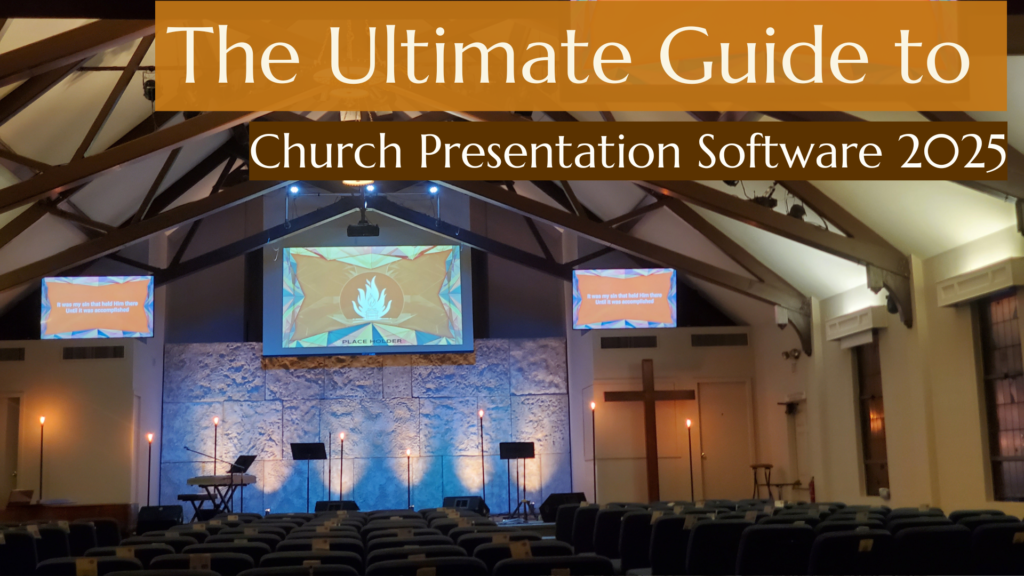
What Is Church Presentation Software?
Church presentation software is a digital tool designed to display content such as worship lyrics, Bible verses, sermon notes, and multimedia during church services.
Common Uses:
- Worship Lyrics Presentation: Display lyrics to help the congregation sing along.
- Bible Verse Presentation Software: Show scripture passages during sermons.
- Multimedia Integration: Play videos, display images, and incorporate soundtracks.
- Live Display Church Presentation Software: Make real-time adjustments to slides during services.
- Worship Media Software: Enhance services with high-quality visuals and audio.
With various tools available, the right church lyrics presentation software can transform your worship services.
How To Choose the Right Church Presentation Software
Selecting the best church presentation software is crucial for enhancing worship experiences and effectively communicating with your congregation. With numerous options available, knowing what to look for in a solution that suits your church’s unique needs is essential. This guide will walk you through the key factors to consider, ensuring you make an informed decision.
1. Understand Your Church’s Needs
Every church has its requirements when it comes to presentation software. Start by asking these questions:
Do you need advanced features like multi-screen capabilities or live editing?
Will your team collaborate remotely, requiring cloud storage and remote access?
Does your congregation prefer a visually engaging and multimedia-rich worship experience?
By identifying these needs, you can prioritize your church’s most important features.
2. Evaluate Key Features
Here are some must-have features to consider:
User-Friendly Interface: Choose software that is easy to navigate, even for those with minimal technical skills.
Multi-Screen Support: If your church uses multiple screens, ensure the software supports displaying different content simultaneously.
Cloud-Based Functionality: Cloud integration allows you to access and edit presentations from anywhere, offering flexibility to your team.
Worship-Specific Tools: Look for features like Bible integration, lyrics projection, and media libraries tailored to churches.
Live Editing: The ability to make changes during a presentation can be invaluable for last-minute updates.
3. Check Compatibility with Your Devices
Ensure the software is compatible with the devices and operating systems you use in your church, such as Windows, macOS, tablets, and smartphones. Some solutions, like Risen Media, even support Chromebooks, providing extra flexibility.
4. Consider Your Budget
Church presentation software comes in a wide price range. Free options might meet basic needs, but premium software often provides advanced features like cloud storage, multimedia integration, and customer support. Compare subscription models, one-time payment options, and any free trial periods.
5. Explore Collaboration Capabilities
If your church team collaborates on creating presentations, prioritize software that supports teamwork through cloud-based sharing, remote access, or multiple user accounts.
6. Review Integration Options
Integration with other tools can simplify workflow and improve the experience:
Does it integrate with Bible apps or scripture databases for easy scripture imports?
Can it connect to your church’s live-streaming setup or social media platforms?
7. Assess Customer Support and Community
Reliable customer support is essential when you encounter technical difficulties. Additionally, software with a strong community of users often provides valuable resources like tutorials and forums.
8. Test with a Free Trial
Most church presentation software, like Risen Media, offers a free trial. Take advantage of this to explore the interface, features, and overall functionality. Ensure it meets your expectations before committing.
9. Read Reviews and Case Studies
Research what other churches are saying about the software. Testimonials, reviews, and case studies can provide insight into how the software performs in real-world church settings.
10. Scalability and Future-Proofing
As your church grows, your software needs may change. Opt for software that can scale with your requirements, offering add-ons or upgrades to accommodate future needs.
Key Features of Church Presentation Software
The best church presentation software offers features that cater specifically to worship services. Here are the key elements to consider:
1. Bible Verse Presentation Software
Integrated access to multiple Bible translations.
2. Customizable Worship Slides Software
Pre-designed templates for creating professional and engaging slides.
3. Live Worship Software
Real-time editing capabilities to adapt to changes during the service.
4. Multi-Screen Support
Display different content on multiple screens simultaneously.
5. Media Presentation Software
Incorporate videos, soundtracks, and graphics seamlessly.
6. Cloud-Based Access
Collaborate on presentations remotely, ideal for larger teams.
7. Ease of Use
A simple interface ensures even volunteers with minimal technical expertise can operate it efficiently.
List of Church Presentation Ideas and Tips
Crafting engaging church presentations is essential for delivering messages that resonate with your congregation. Whether you’re preparing for Sunday worship, Bible studies, or special church events, well-designed presentations can enhance understanding, inspire worship, and create a more immersive experience. Here’s a list of ideas and tips to help you create impactful church presentations.
1. Start with a Clear Purpose
Before designing your presentation, identify its main goal. Is it to teach, inspire worship, or encourage action? Having a clear purpose helps you organize your content effectively.
2. Use Inspiring Themes
Choose themes that align with your church’s values and message. Here are some ideas:
- Seasonal Themes: Advent, Christmas, Easter, or Thanksgiving.
- Sermon Series: Focus on a book of the Bible, parables of Jesus, or spiritual disciplines.
- Community Topics: Highlight service projects, youth programs, or missionary work.
3. Integrate Scripture Creatively
Scripture is central to church presentations. Here are ways to make it engaging:
- Use large, readable fonts for Bible verses.
- Highlight keywords with bold or colored text.
- Add background images that reflect the verse’s message.
4. Incorporate Multimedia Elements
Multimedia can bring your presentation to life.
- Images: Use high-quality, relevant images for emotional impact.
- Videos: Short video clips or animations can illustrate concepts powerfully.
- Music: Play soft instrumental music during reflection slides or altar calls.
5. Leverage Worship Lyrics and Backgrounds
Projecting worship lyrics helps your congregation participate.
- Use clear, bold fonts that are easy to read.
- Avoid overly busy backgrounds—simple gradients or subtle textures work best.
- Align text in the middle of the slide for balance.
6. Design with Simplicity
Avoid cluttered slides. Here’s how:
- Use minimal text—stick to bullet points or concise sentences.
- Include plenty of white space to make slides visually appealing.
- Choose 2-3 complementary colors for a clean and cohesive look.
7. Add Engaging Call-to-Actions (CTAs)
Encourage your congregation to act on your message.
- Example CTAs: “Join our small groups,” “Sign up for the mission trip,” or “Visit our prayer wall.”
- Include links or QR codes for easy access to sign-up forms or resources.
8. Utilize Technology for Live Interaction
Modern tools can make presentations more interactive:
- Polls and Q&A: Use live polling tools to gather feedback or answer questions.
- Scripture Lookup: Display Bible passages on-screen while allowing attendees to follow along on their devices.
9. Plan for Multi-Screen Setups
If your church uses multiple screens, take advantage of them:
- Show lyrics on one screen and sermon notes or visuals on another.
- Use side screens for countdown timers, announcements, or prayer prompts.
10. Include Testimonies and Stories
Real-life stories create emotional connections:
- Invite congregation members to share their testimonies via video or in person.
- Highlight missionary updates or community impact stories.
11. Prepare for Special Events
Tailor your presentations to special occasions:
- Baptisms: Include photos, verses, and personal messages.
- Communion Services: Use reflective backgrounds and meditative music.
- Church Anniversaries: Showcase the church’s history with photos and timelines.
12. Incorporate QR Codes
QR codes can make accessing resources simple:
- Link to sermon notes, event sign-ups, or online giving pages.
- Display them during announcements or closing slides.
13. Test and Rehearse Your Presentation
Always test your presentation before the service:
- Check for typos or alignment issues.
- Ensure videos and animations run smoothly.
- Rehearse transitions to maintain a natural flow during delivery.
14. Stay Aligned with Your Church’s Vision
Every element of your presentation should reflect your church’s mission and values. Consistency builds trust and familiarity with your congregation.