


MediaShout vs. Risen Media
Finding the Best Worship Presentation Software for Your Church
Selecting the right worship presentation software is essential for churches that want to create smooth, engaging, and impactful services. With so many options available, it’s important to choose a solution that meets your church’s specific needs. Both MediaShout and Risen Media provide churches with presentation tools, but they differ significantly in functionality, ease of use, and modern features. This guide breaks down the key differences to help you make an informed decision.
What is MediaShout?
MediaShout has been a staple in church presentation software for years and was once considered one of the best solutions available. It offers features that go beyond traditional office-based presentation tools like PowerPoint. However, its interface and overall experience have not evolved much in recent years. While MediaShout was at the forefront of worship tech in the early 2000s, its design and functionality feel outdated compared to newer, more intuitive solutions.
What is Risen Media?
Risen Media is a modern, web-based church presentation platform built to enhance worship services, sermons, and events. It offers an intuitive and feature-rich experience that makes it easy to create visually compelling presentations. Whether displaying Bible verses, song lyrics, videos, or announcements, Risen Media ensures a smooth, professional service flow. Unlike traditional software, Risen Media doesn’t require installations or updates, making it an accessible and scalable choice for churches of all sizes.
Platform Compatibility
Risen Media: As a web-based platform, Risen Media works seamlessly on any device, including macOS, Windows (XP, Vista, 8, 10, 11), Chromebooks, smartphones, and tablets.
MediaShout: The latest version of MediaShout is Windows-only, meaning Mac users will need an alternative solution.
Advantage: Risen Media
Language Support
Risen Media: Currently supports English and Spanish.
MediaShout: Limited to English only with no native multilingual support.
Advantage: Risen Media
Trial Period
Both platforms offer a fully functional trial before requiring a purchase:
- MediaShout: 30-day free trial.
- Risen Media: 14-day free trial.
Advantage: MediaShout
Start Creating Beautiful Worship Visuals Today.
Try Risen Media free for 14 days, no credit card, no setup hassle. Just log in and start building your next Sunday’s service.
Customer Support
Both solutions provide real-time chat, email, and phone support, but Risen Media goes further by allowing users to schedule video calls for training and troubleshooting, offering a more personalized support experience. Additionally, Risen Media includes built-in tutorial videos.
Advantage: Risen Media
Slide Capabilities
Both platforms enable text, graphics, and videos in slide presentations. However, Risen Media introduces several advanced features:
✅ Drag and drop YouTube videos and online images directly into slides—no downloads required.
✅ Built-in social media integration, allowing real-time social media feeds to appear in presentations.
✅ Auto Bible verse integration—instantly create slides with single or multiple verses in different languages.
✅ Linked text boxes, ensuring design consistency across slides.
MediaShout lacks these features and is missing some basic tools such as guides, rulers, and text gradients, which limit customization.
Advantage: Risen Media

Bible Translations and Languages
Displaying Scripture accurately and efficiently is essential for churches.
- MediaShout: Supports 70 Bible translations in 20 languages.
- Risen Media: Offers 341 Bible translations in 42 languages. Since it’s web-based, new translations are added instantly, without requiring updates.
Advantage: Risen Media
Media Asset Library
Having access to high-quality visual content can elevate a church’s presentations.
- Risen Media: Provides thousands of free motion graphics, still images, and other media assets directly in the software.
- MediaShout: Does not include any built-in media assets or a media store.
Advantage: Risen Media
Multi-screen support
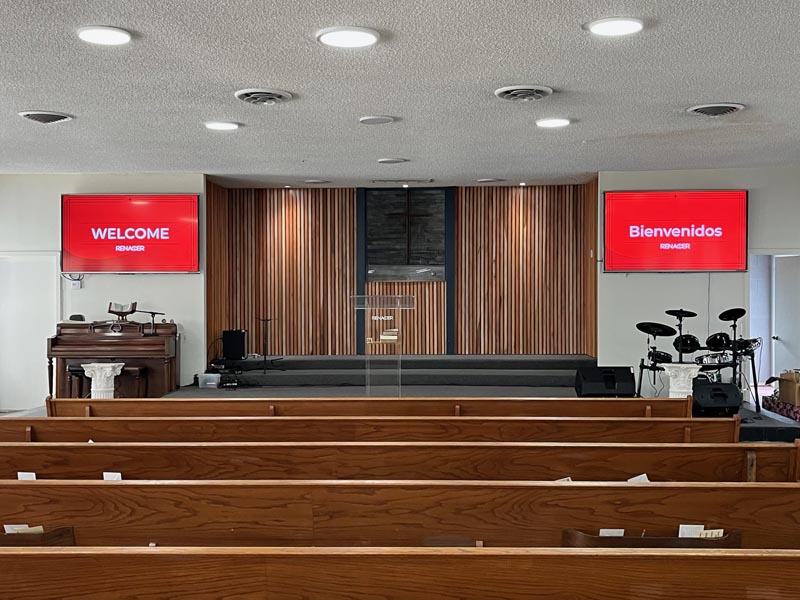
Both platforms offer multi-screen projection, but Risen Media’s SideSlide feature takes it further by allowing different content to be displayed on multiple screens.
For example, you can show:
📺 An image on one screen and text on another.
📺 English Bible verses on the left screen and Spanish verses on the right.
MediaShout does not have this level of multi-screen control.
Advantage: Risen Media
Wireless Presentation
Risen Media eliminates the need for cables or even a computer during presentations. Users can seamlessly control slides from their smartphones or a TV remote, offering maximum flexibility and convenience.
In contrast, MediaShout requires a computer to be physically connected to displays or projectors, limiting mobility and setup flexibility.
Advantage: Risen Media
Multiple Simultaneous Presentations
Risen Media allows multiple presentations to run at the same time. For example:
- Announcement slides in the lobby
- Worship lyrics in the sanctuary
MediaShout does not support running multiple presentations on different displays.
Advantage: Risen Media
Live Edit
Risen Media supports real-time slide editing during services, meaning you can:
- Fix typos instantly
- Adjust song order on the fly
- Make changes without interrupting the presentation
All of this can even be done from a smartphone. MediaShout does not allow live edits.
Advantage: Risen Media
Sermon Preparation Tools
Risen Media includes a built-in sermon editor, enabling pastors to:
📖 Write sermons and instantly convert them into slides.
📖 Access Bible commentaries, books, and quotes directly within the platform.
📖 Utilize AI-powered sermon assistance.
MediaShout does not offer any sermon preparation tools.
Advantage: Risen Media
Worship Presentation Features
Risen Media provides additional tools for worship teams, including:
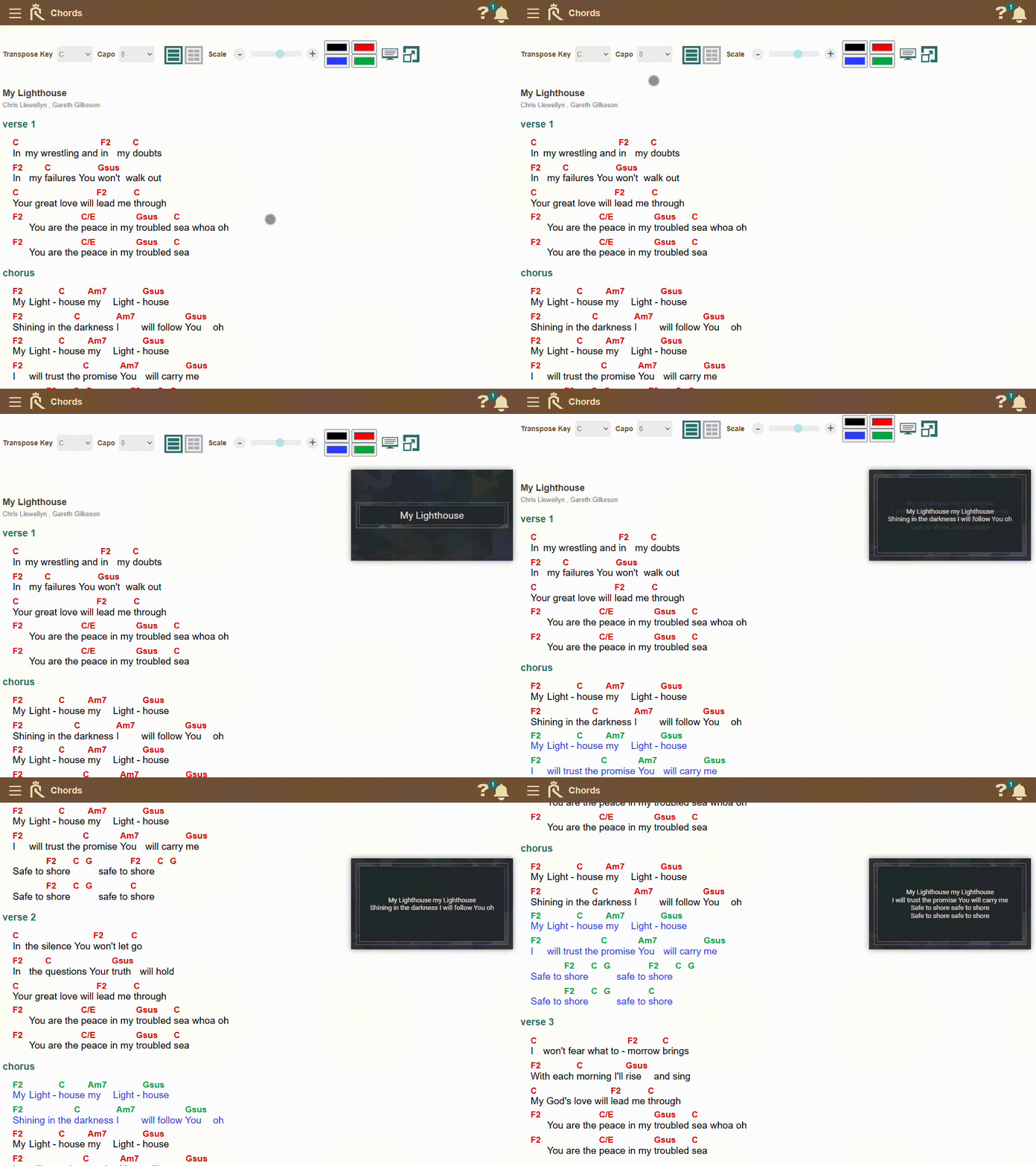
🎸 Chords and lyrics displayed on confidence screens.
🎸 Auto-scrolling lyrics with chords on a smartphone or tablet for each musician.
🎸 Custom capo adjustments for each musician.
MediaShout does not offer these features.
Advantage: Risen Media
Bible Study Tools
Risen Media includes a dedicated Bible study module, allowing users to:
📖 Compare translations
📖 Read commentaries
📖 Take notes and organize study sessions
MediaShout does not provide built-in Bible study tools.
Advantage: Risen Media
Church Management Features
Risen Media isn’t just a presentation tool—it includes church operations tools, such as:
- Community Database
- Calendar and Events
- Volunteer Scheduling
- Check-ins
- Email and Newsletters
- Email Automation
- Community Portal
- Prayer Requests
- Task Management
MediaShout does not include any church management features.
Advantage: Risen Media
Sharing & Collaboration
Risen Media allows churches to share presentations and assets with other churches at the click of a button.
MediaShout does not support sharing or collaboration between churches.
Advantage: Risen Media
Live Alerts & Notifications
Risen Media enables live audience alerts and discreet stage notifications for speakers, ensuring smooth service flow.
MediaShout does not offer live alerts.
Advantage: Risen Media
Final Thoughts
MediaShout provides a basic but functional worship presentation tool for Windows users. However, its dated interface, lack of modern features, and limited flexibility make it less appealing compared to newer solutions.
Risen Media, on the other hand, is a web-based, all-in-one church presentation and management platform that offers live editing, seamless multi-screen support, Bible study tools, worship team features, and more, making it a superior choice for churches looking for a future-proof solution.
Winner: Risen Media
More Worship Presentation Software Comparisons
Wondering how Risen Media compares to other top presentation software? We’ve put together a series of in-depth comparison guides to help you decide. Explore our most popular comparisons below:
See Risen Media in Action
Want to see how Risen Media can simplify your Sunday setup? Schedule a quick walk-through with our team. We’ll guide you through building slides, running a service, and collaborating online.
No pressure, just a friendly demo tailored to your church.